

UGREEN 8-in-1 USB C Hub Review: 10Gbps Triple Display Dock
Problem & Solution
Modern ultra-thin laptops and modern workstations often eliminate standard legacy ports, leaving users restricted to just one or two USB-C ports. Connecting multiple monitors, external high-speed SSDs, and legacy peripherals while keeping the laptop charged usually requires carrying a tangle of separate single-function dongles.
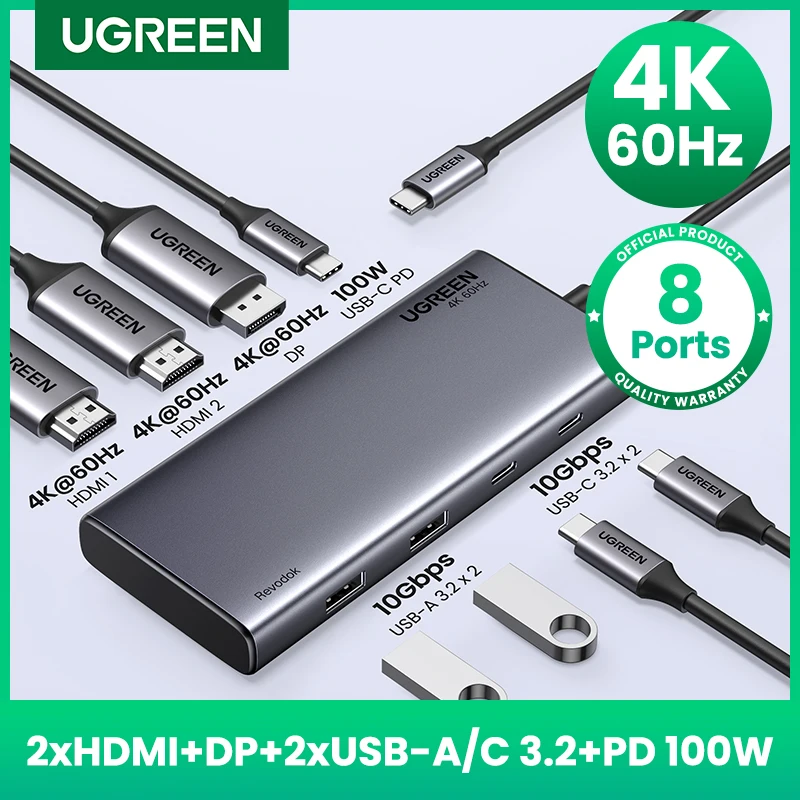
The UGREEN 8-in-1 USB-C Hub resolves workstation clutter by integrating dual video outputs (HDMI and DisplayPort), high-speed 10Gbps USB 3.2 connectivity, and 100W Power Delivery pass-through into a single compact dock. It transforms a single host USB-C port into an expanded multi-display workstation.
Who Is It For?
Designed for remote professionals, office workers, content creators, and students who operate laptop-centric setups (such as MacBook Pro/Air or Windows PCs) and need high-speed file transfer capabilities along with external display output.
It is especially practical for users who frequently alternate between mobile work and a multi-monitor desk setup and want a single-cable docking solution.
Key Features
- 10Gbps USB 3.2 Data TransferAllows high-bandwidth file transfers for compatible external SSDs and fast flash storage.
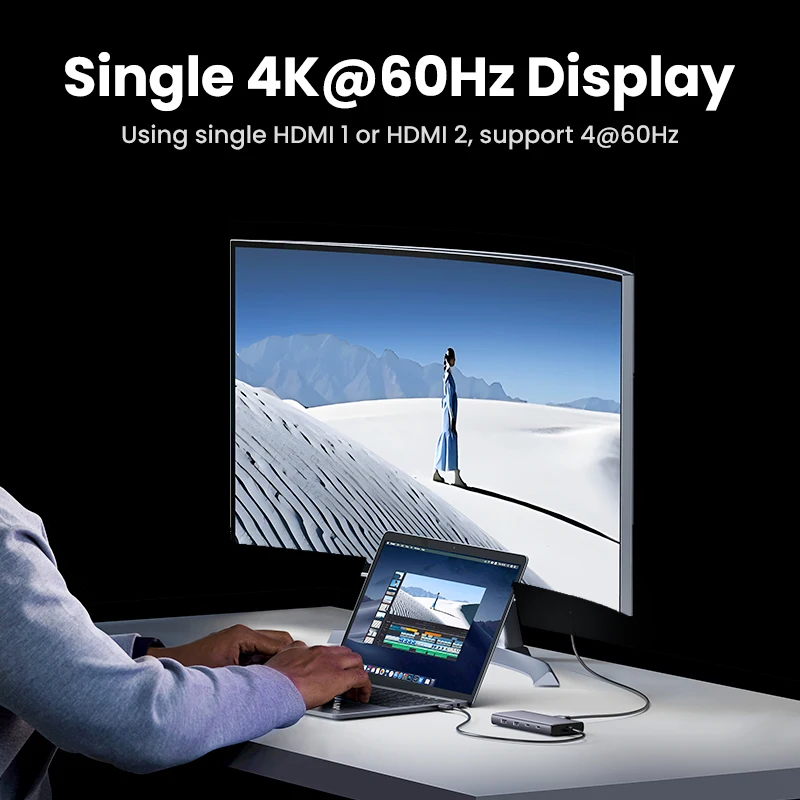
- Dual Video Outputs (4K HDMI & DisplayPort)Offers flexible display connection options for external monitors and projectors.
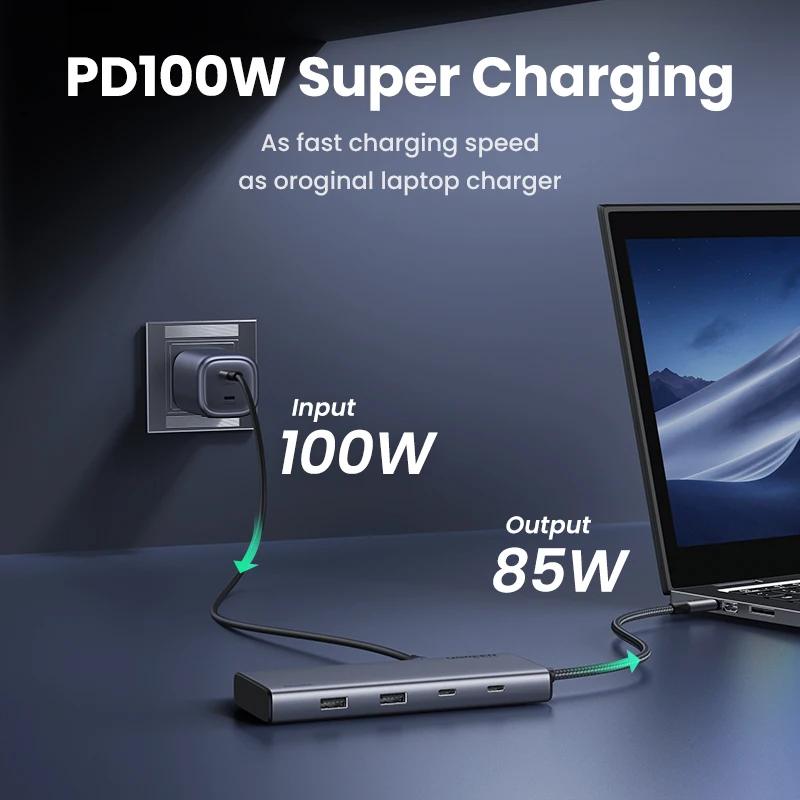
- 100W Power Delivery Pass-ThroughEnables host laptop charging while simultaneously powering connected peripherals.
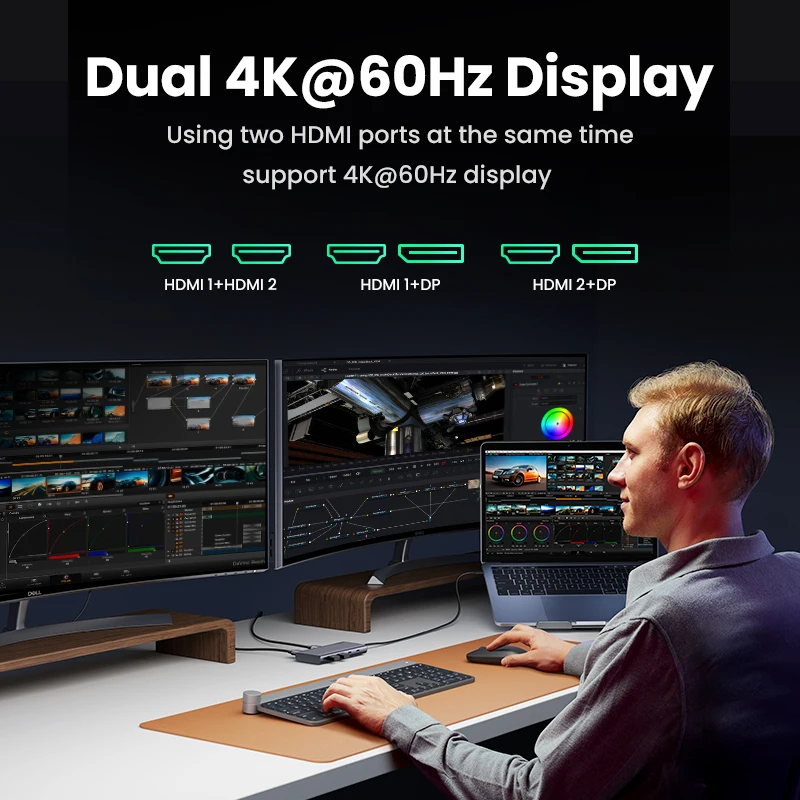
- Triple Display Output SupportSupports multi-monitor expansion setups, subject to host OS and GPU capabilities.
- 8-in-1 Multi-Port ExpansionConsolidates video, data transfer, and power management into a single portable adapter body.
Technical Specifications
| Total Ports | 8-in-1 |
| Maximum Data Speed | Up to 10Gbps (USB 3.2) |
| Video Interfaces | HDMI (4K supported), DisplayPort (DP) |
| Power Delivery Pass-Through | Up to 100W PD |
| Host Interface | USB Type-C |
| Display Support Mode | Up to Triple Display (Host hardware dependent) |
| Enclosure Material | Aluminum / Metal Casing |
| Device Compatibility | MacBook Pro, MacBook Air, Windows PCs, and USB-C laptops with DP Alt Mode |
Pros & Cons
Pros
- High-speed 10Gbps USB 3.2 protocol support for faster data transfers compared to standard 5Gbps hubs.
- Equipped with both HDMI and DisplayPort video interfaces for monitor flexibility.
- Supports up to 100W PD input, ensuring adequate power pass-through to demanding laptops.
- Consolidates multiple display adapters and USB dongles into one compact unit.
Cons
- Multi-monitor extension mode behavior varies significantly by operating system (Windows supports MST; macOS generally limits MST extended displays).
- A portion of the incoming Power Delivery wattage is reserved for internal hub operation rather than full passthrough to the laptop.
- The metal enclosure can become warm to the touch during simultaneous high-speed data transfer and 100W charging.
FAQ
macOS operating systems do not natively support MST (Multi-Stream Transport) over standard USB-C hubs in the same manner as Windows. On macOS, connected external displays will typically mirror each other rather than extend as separate independent desktops unless supported by specific system hardware configurations.
The hub can operate on bus power provided by the host laptop for low-power peripherals. However, to power high-draw external drives or charge your laptop, you must connect a compatible USB-C PD power adapter to the dock's PD input port.
Your host laptop's USB-C port must support DisplayPort Alt Mode (DP Alt Mode) or Thunderbolt 3/4 / USB4 to pass video signals through the HDMI and DisplayPort outputs.
The 10Gbps specification represents total interface bandwidth. When multiple high-speed storage devices are connected and transferring data simultaneously, total system bandwidth is shared among the active ports.
Final Verdict
A practical choice for users seeking high-speed USB 3.2 10Gbps data capabilities combined with flexible HDMI and DisplayPort video connections. Highly recommended for Windows laptop users who can fully leverage MST display extension, while Mac users should verify their specific monitor extension requirements prior to purchase.